Disclaimer: Udyam Aadhar is operated by Udyam Registration Consultancy & Assistance Services, a private consultancy. We are not affiliated with, authorised by, endorsed by, or associated with any government authority or department.
Disclaimer: Business Help Services Is A Private Consultancy And Assistance Service Provider And Is Not Affiliated With, Authorized By, Endorsed By, Or Associated With Any Government Authority Or Department. All Charges Collected On This Website Are Strictly Consultancy & Assistance Service Fees Only, And Not Any Government Fee.Disclaimer: Business Help Services Is A Private Consultancy And Assistance Service Provider And Is Not Affiliated With, Authorized By, Endorsed By, Or Associated With Any Government Authority Or Department. All Charges Collected On This Website Are Strictly Consultancy & Assistance Service Fees Only, And Not Any Government Fee.

Download Udyam Certificate | MSME PDF | Udyam Aadhar

+91

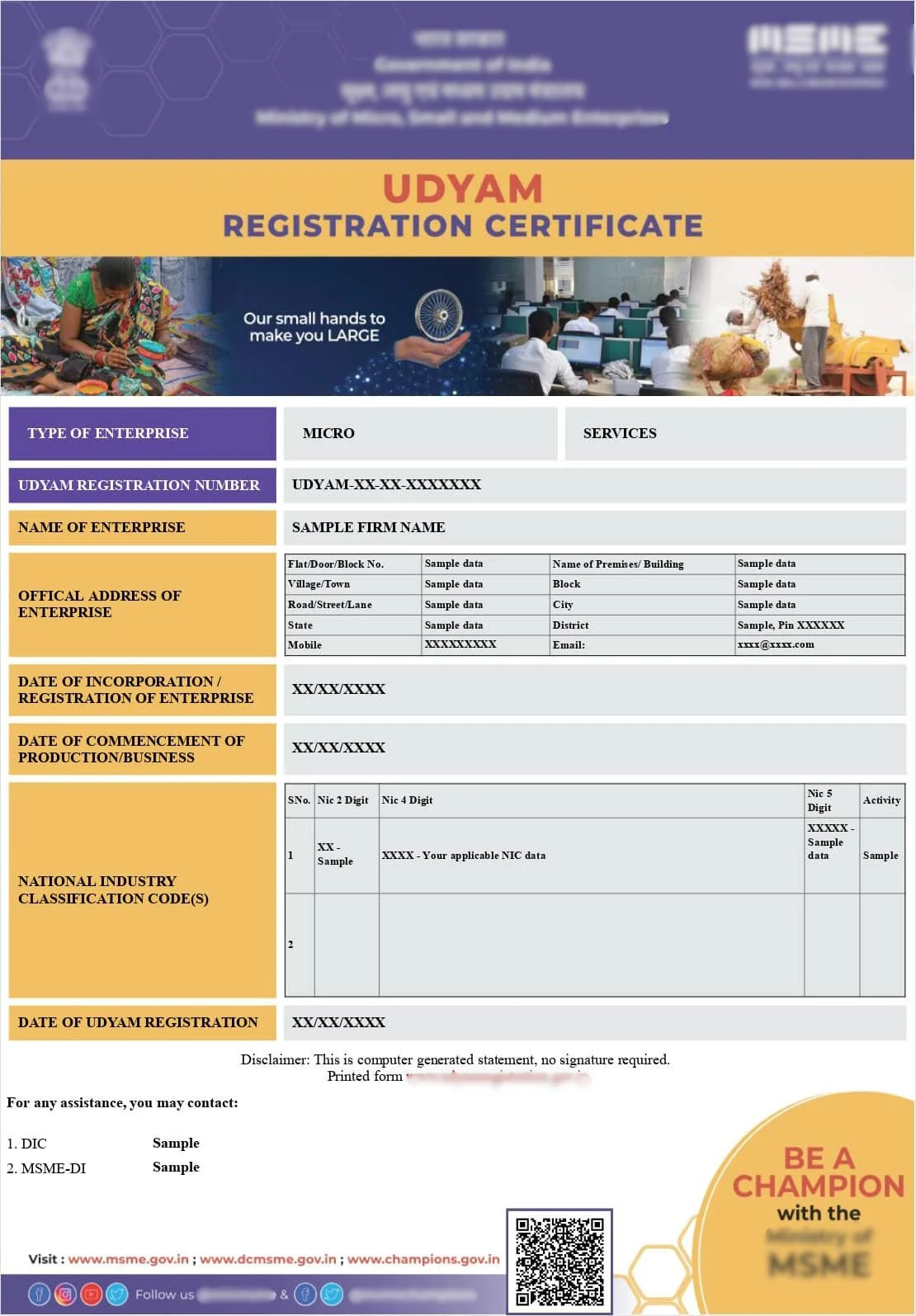
Sample Certificate

Sample Udyam Adhar Certificate

Note: Sample Udyam Adhar Certificate shown for reference purposes only.

How to Download Your Udyam Certificate

Overview

To download your Udyam certificate, you need to visit the official Udyam Registration portal and use the print or download certificate option available there. If you already have your Udyam Registration Number, the process is quick, you simply enter the number along with your registered mobile number for OTP verification, and the certificate becomes available as a downloadable PDF. If you have misplaced your registration number, it can usually be retrieved using the Aadhaar number that was used during the original registration, provided the linked mobile number is still active for OTP verification. The downloaded certificate includes your Udyam Registration Number, enterprise name, classification as micro, small or medium, and other key details. Common issues while downloading include OTP not being received due to an inactive mobile number, incorrect registration number entry, or portal server delays during high traffic periods, all of which can usually be resolved with the correct troubleshooting steps or assistance.

Quick Facts

  • Processing Time: Instant once verified
  • Documents: Udyam Registration Number or Aadhaar details
  • Eligibility: Any business with a completed Udyam Registration
  • Validity: Certificate has no expiry
  • Certificate: PDF download from official portal
  • Authority: Ministry of MSME
  • Who Can Apply: Registered enterprise owner or authorised signatory

Introduction

Once your Udyam Registration is approved, the next practical step is getting your hands on the actual certificate, whether it is for a bank loan application, a tender submission, or simply to keep on record. Downloading it is usually quick, but a surprising number of business owners run into small snags along the way. This guide walks you through the exact steps and the common issues that come up.

What You Need Before Downloading

Before you begin, keep your Udyam Registration Number ready if you have it, along with access to the mobile number linked to your Aadhaar, since OTP verification is required to download the certificate. If you cannot find your registration number, you will need your Aadhaar details instead.

Step by Step Guide to Download Udyam Certificate

The process generally involves visiting the official Udyam Registration portal, locating the print or download certificate section, entering your Udyam Registration Number, completing OTP verification on your registered mobile number, and then downloading the certificate as a PDF file once your identity is confirmed.

Downloading Using Your Udyam Registration Number

If you already know your Udyam Registration Number, this is the fastest route. Enter the number in the designated field on the portal, complete the OTP verification step, and your certificate will be generated for download almost instantly.

Downloading If You Forgot Your Registration Number

If you no longer have your Udyam Registration Number, most portals allow you to retrieve your registration details using your Aadhaar number instead, provided it matches the Aadhaar used during the original registration. Once verified, you can proceed to view and download your certificate.

Common Download Issues and Fixes

The most frequent problems include OTP not arriving because the registered mobile number is no longer active or linked correctly to Aadhaar, entering an incorrect Udyam Registration Number, and occasional portal downtime during periods of heavy traffic. In most cases, updating your linked mobile number or waiting and retrying resolves the issue, though some cases require direct correction requests.

What to Do If Your Certificate Details Are Wrong

If your downloaded certificate shows incorrect details, such as a wrong business name, address, or classification, this typically means there was an error during the original registration that needs to be corrected through the update process before a fresh, accurate certificate can be downloaded.

How Udyamadhar Helps

If you are unable to download your certificate, cannot locate your registration number, or find that your certificate contains incorrect information, Udyamadhar can retrieve, correct and re-download your certificate on your behalf. We provide professional assistance for registration and compliance services. We are a private consultancy and are not affiliated with any Government department.

Real Business Scenario

A small electronics repair business in Pune needed their Udyam certificate urgently for a loan application, but the owner had changed their mobile number since registration and could not receive the OTP required to download it. After updating the linked mobile number through the correction process, the certificate was successfully downloaded the same day, in time for the loan submission deadline.

Common Questions

Business owners often ask whether the certificate can be downloaded multiple times, whether it needs to be downloaded again after updating details, and what to do if they cannot find their registration number at all. These are covered in detail in the FAQ section.

Conclusion

Downloading your Udyam certificate is usually a quick, straightforward step, but issues like an inactive mobile number or a forgotten registration number can slow things down at exactly the moment you need the document most. Knowing the correct troubleshooting steps, or having support on hand, ensures you are never stuck when a certificate is urgently needed.

CTA

Can't download your Udyam certificate? Let Udyam Aadhar retrieve or fix it for you today.

Udyam Assistance Process – Fast & Simple

Fill Form & Make Payment

Submit Required Information

Expert Assistance & Verification

Updates Shared via Email

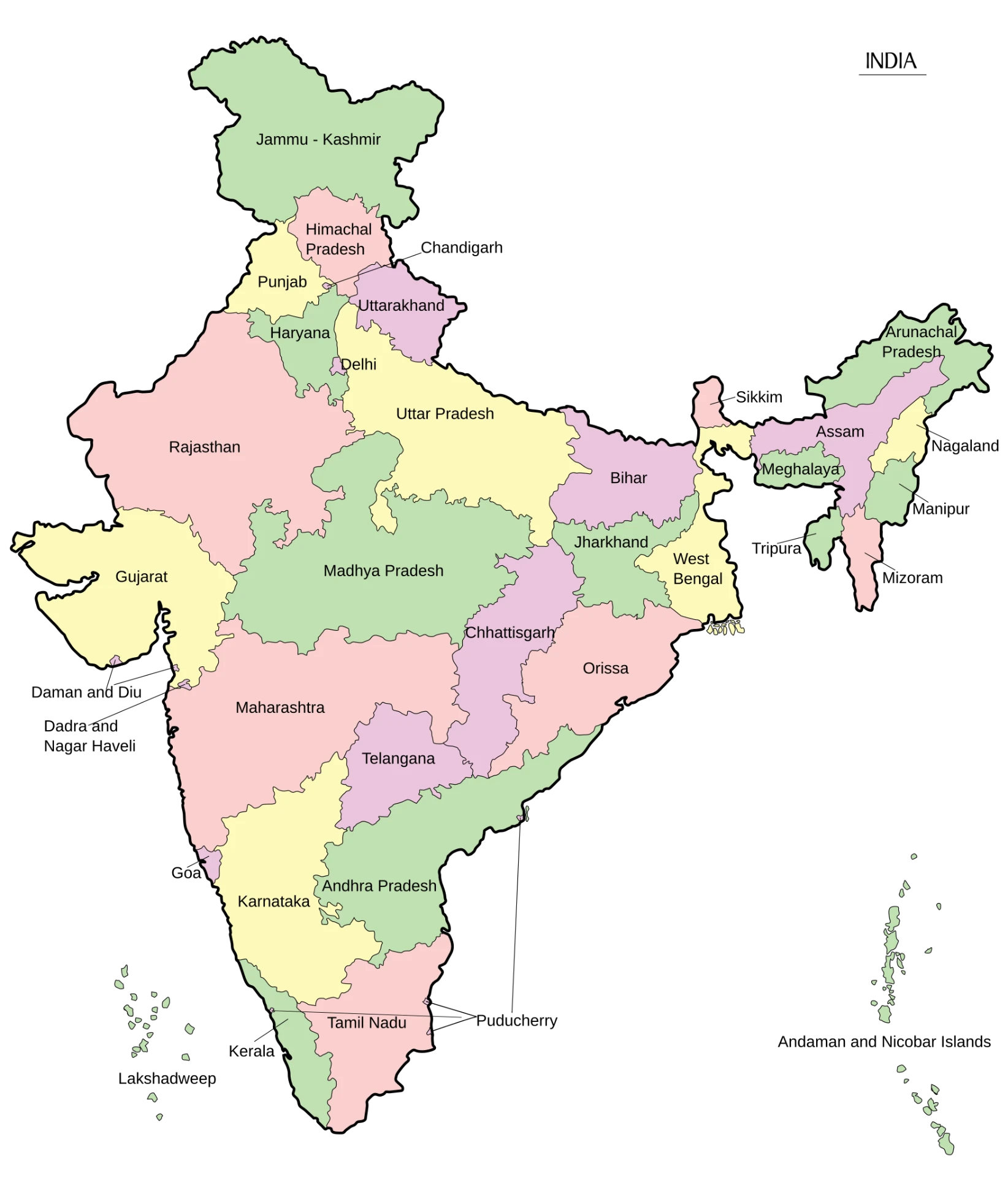
We provide consultancy services across India.

Map of India showing all states where consultancy services are provided
CountryIndia
Area3,287,263 sq. km.
States28
Population1,46,39,00,000
Literacy80.9%